TPP vs FPP in DROPZONE
Choose third-person awareness or first-person aim discipline — then lock it for a full session.
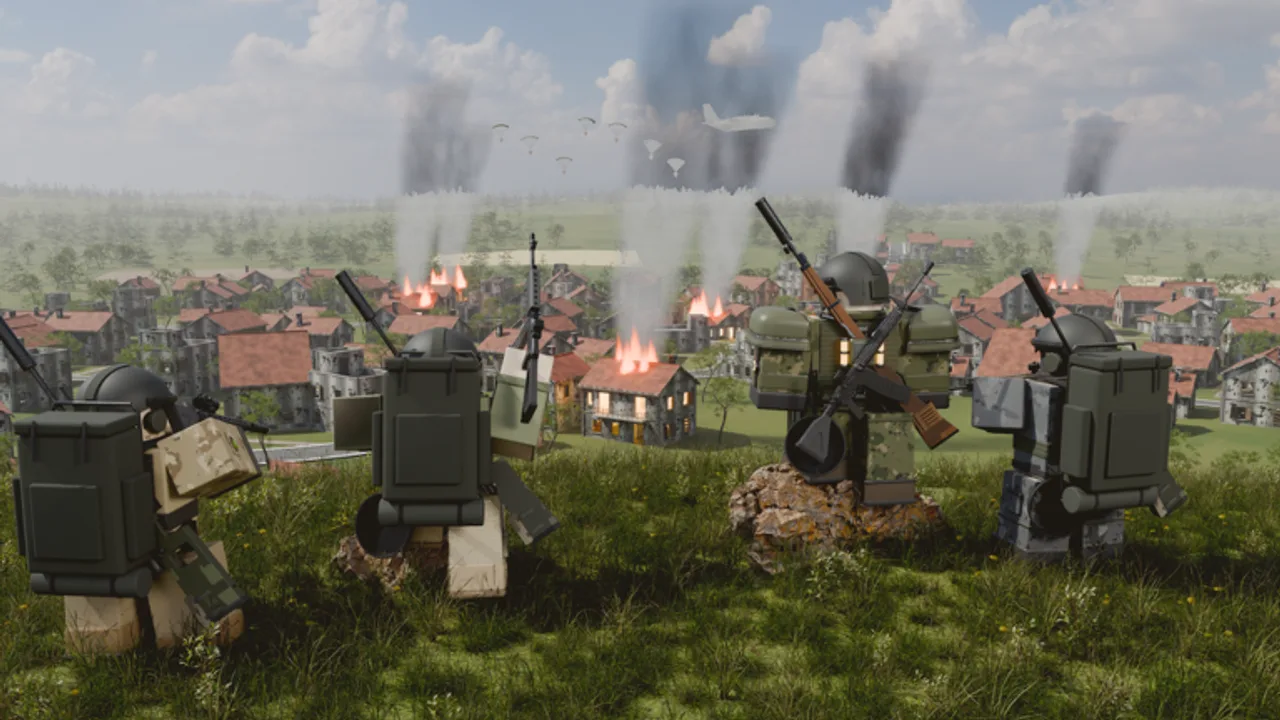
DROPZONE lets every match run in TPP (third-person) or FPP (first-person) on PC and mobile. That single toggle changes how you peek power-plant doors, hold radar ridges, track vehicles, and ADS with AKM, HK416, Vector, or AWM kits. This guide compares both cameras for the Roblox battle royale beta from Dropzone Battle Royale, shows when to switch, and explains how V2.7 ADS and hitbox work interact with your choice across Solo, Duo, and Squad.
Read it with Controls, Attachments and Scopes, and Getting Started so sensitivity and optic habits match the camera you actually queue.
Quick verdict
- Pick TPP if you are learning POIs, playing building-heavy drops, or you want safer shoulder information before committing a peek.
- Pick FPP if you want stricter gunfights, cleaner mid-range sprays, and less “camera cheating” around corners once your map knowledge is solid.
- Do not swap every death. Lock one mode for a full session so muscle memory and sensitivity can settle.
Both modes are valid. DROPZONE’s published feature list treats them as first-class options, not a ranked-only restriction.
What TPP does well
Third-person shines when information beats raw crosshair placement:
- Corner scouting on KOBALT settlements and AKANE interiors without exposing your hitbox as early.
- Multi-squad awareness during third parties — you see more of the street while pre-aiming a doorway.
- Vehicle context while driving cars, motorcycles, or boats; Free Look plus TPP can make rotate reads easier after vehicle patches.
- Beginner landings at the power plant or radar station where unknown angles punish FPP newcomers.
TPP weaknesses: some players over-peek with the camera and get surprised when their body is more exposed than the screen suggested. After V2.7 hitbox work, dishonest camera peeks get punished more consistently — learn where your body actually is.
What FPP does well
First-person rewards aim fundamentals:
- ADS clarity with red dots, holos, and mid optics from the attachments guide.
- Spray tracking on HK416 / SCAR-L lines when TTK is longer and mag dumps matter.
- Fairer close fights in stairwells where TPP camera tricks feel inconsistent.
- Sniper discipline for Kar98k, M24, AWM, and Mk14 users who want the scope picture to match world geometry 1:1.
FPP weaknesses: less free information. You must clear corners with good movement, audio, and teammates. New players who jump into FPP on hot drops often die to angles they never saw.
Mode choice by queue
Solo: FPP teaches honest fights; TPP helps you survive scouting when you have no teammates to cover flips. Many Solo grinders start TPP, then move FPP once landing spots feel familiar.
Duo / Squad: Mixed preferences are fine if comms are clear (“I am FPP holding stairs”). The entry fragger often likes TPP for swing info; the anchor AWMer may prefer FPP. Agree before the plane leaves the staging island.
Platform notes (PC vs mobile)
PC mouse players can succeed in either mode; sensitivity usually needs a dedicated ADS multiplier when you live in FPP glass.
Mobile touch layouts sometimes feel clearer in TPP because the wider view compensates for thumb occlusion. If your fire button covers too much of an FPP sight picture, adjust UI scale in Settings before abandoning the mode entirely. Confirm every change inside the in-game Settings menu — beta patches can reshuffle helpers like Free Look and Game Paused.
Sensitivity and optic pairing
Camera choice without sensitivity work wastes the toggle:
- Set a hip sensitivity you can 180 with.
- Set ADS sensitivity that tracks a strafing bot-speed target at mid range.
- Re-test after mounting a new 2x–4x or high-zoom optic.
- Re-test again after major ADS patches such as V2.7.
If FPP feels “too fast,” lower ADS multiplier before lowering everything. If TPP feels floaty, slightly raise hip sens so camera peeks do not lag your decision.
When to switch mid-season (not mid-match)
Switch cameras between sessions when:
- You plateau on hot drops and need stricter aim reps (TPP → FPP).
- You return after a break and map knowledge is rusty (FPP → TPP).
- A patch changes vehicle ADS or Free Look enough that your old mode feels wrong.
Avoid switching mid-match unless you are intentionally experimenting in a casual lobby. Muscle memory whiplash costs more RP-style progress than a single awkward peek.
Training plan
Day A (TPP): land a warm settlement, practice camera pre-peeks, then take two mid-range AR fights. Day B (FPP): land the same POI, clear with honest swings, focus on ADS tracking. Day C: pick the mode that produced cleaner deaths (less “I never saw them”) and commit for a week while studying Landing Spots and How to Play.
Tie-ins across the wiki
- Controls — binds and Settings verification
- Attachments and Scopes — optic choices that match FPP/TPP sight pictures
- Armor and Healing — survive long enough to learn peeks
- Vehicles and Airdrops — camera feel while rotating
- Patch Notes — ADS / hitbox changes that should trigger a re-test
DROPZONE’s beta will keep tuning gunfeel. Your camera is a long-term preference layered on top of those changes. Pick TPP for information, FPP for aim purity, lock it for the session, and let the rest of your kit — guns, armor, utility — do the talking.
Frequently Asked Questions
Quick answers to the most common DROPZONE questions.
Is TPP or FPP better in DROPZONE?
Neither is universally better. TPP helps awareness and safer peeks; FPP helps precise ADS. Choose based on your experience level and the fights you take most.
Can I switch camera mode during a match?
Check the in-game Settings for your current beta build. Even if you can toggle, avoid constant switching so sensitivity and peek habits stay consistent.
What should beginners pick?
Most beginners learn faster in TPP, then try FPP after they know common POI angles on KOBALT and AKANE.
Does V2.7 change camera choice?
Hitbox and ADS work make honest peeks and clean ADS more rewarding in both modes. Re-test your sensitivity after the patch regardless of camera.
Where do I configure camera and sensitivity?
Use the in-game Settings menu and the Controls guide on this wiki for PC and mobile bind context.