DROPZONE Codes
Community-reported promo codes, reward notes, and safe redemption tips for the Roblox battle royale beta.
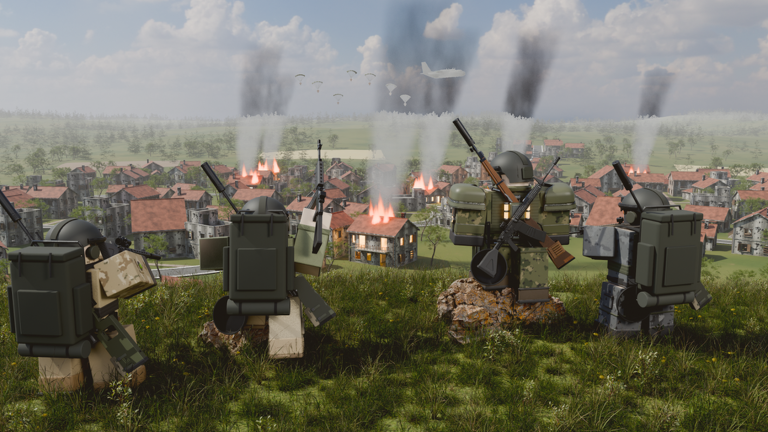
Welcome to the DROPZONE Codes Hub. DROPZONE is a Roblox battle royale in beta from the Dropzone Battle Royale group. Matches support up to about 100 players, with Solo, Duo, and Squad queues plus TPP or FPP camera modes on PC and mobile. Codes are one of the fastest ways to grab free cosmetics, boosts, and early progression help while the game is still iterating through patches such as V2.7.
This page lists community-reported codes. Developers can rotate, expire, or region-lock rewards without notice. Always treat every entry below as verify in-game before you plan a loadout around it. For the full click-path on PC and mobile, open How to Redeem.
Working codes (verify in-game)
| Code | Reported reward focus | Status |
|---|---|---|
FREESKINS | Cosmetic / skin unlocks | Community-reported — verify in-game |
GEMBOOST | Currency or gem-style boost | Community-reported — verify in-game |
POWERUP | Temporary power or boost pack | Community-reported — verify in-game |
DZLAUNCH | Launch / welcome reward bundle | Community-reported — verify in-game |
LEVELGRIND | XP or progression boost | Community-reported — verify in-game |
Copy codes exactly as shown. Extra spaces, lowercase mistakes, and old screenshots from Discord often cause “invalid code” errors even when the string still looks familiar.
Expired codes (do not redeem)
These strings appear in older community lists and are treated as expired / inactive until proven otherwise in the current client:
| Code | Notes |
|---|---|
BETAACCESS | Early beta access promo — treat as expired |
SUMMERFUN | Seasonal promo — treat as expired |
1KLIKES | Milestone promo — treat as expired |
UPDATEV1 | Old update code — treat as expired |
GAMEREADY | Launch-era code — treat as expired |
If a listed expired code suddenly works again after a patch, re-test once, then prefer the Working codes table above as the live source of truth.
How to redeem quickly
- Launch DROPZONE on Roblox from an account you trust.
- Reach the lobby or staging island UI where the codes / rewards panel appears.
- Paste one code at a time and confirm the claim.
- Check your inventory, Credits, XP, or outfit unlocks before queuing.
Need screenshots-level detail, mobile differences, or error fixes? Use the dedicated How to Redeem walkthrough.
Safety and account hygiene
- Redeem only inside the official DROPZONE experience. Never enter codes on random websites that ask for your Roblox password, cookie, or
.ROBLOSECURITYtoken. - Do not share account credentials for “code claiming services.” Free rewards are never worth a stolen account.
- Prefer your main lobby UI over third-party redeem bots. If a site promises automatic claims, treat it as a scam vector.
- After claiming, log out of shared devices and enable 2-step verification on Roblox.
Promo codes do not replace match fundamentals. After you claim rewards, spend a few minutes reviewing Getting Started, map drops in Landing Spots, and meta picks on the Weapons Tier List. Credits and XP from codes pair well with outfit and weapon-skin progression, but your survival still depends on loot routes, zone timing, and fights.
What codes usually unlock
Community drops in DROPZONE-style battle royales tend to fall into a few buckets:
- Cosmetics — outfits and weapon skins you keep across matches.
- Boosts — temporary XP, Credits, or resource multipliers such as the reported
GEMBOOSTandLEVELGRINDlines. - Welcome packs — launch codes like
DZLAUNCHthat help new players fill early gaps. - Power-ups — short-lived combat or utility bonuses tied to codes like
POWERUP.
Exact payouts change. If a code grants a skin you already own, you may receive nothing extra or a substitute — check the on-screen confirmation rather than assuming a duplicate payout.
Pair codes with real match prep
Once rewards land, convert them into better rounds:
- Study hot drops and safer edges on Landing Spots for KOBALT (2.4×2.4 km) and AKANE (2.0×2.0 km).
- Build a reliable primary + secondary + utility kit via Loadouts and the broader Tier List.
- Learn vehicle rotations and crate timing in Vehicles.
- Review win conditions in How to Win so boosts do not distract you from zone discipline.
- Track balance shifts after Patch Notes — V2.7 already adjusted hitboxes, ADS-on-vehicle behavior, and loot spawn rates.
If you also experiment with client tools, read the Scripts hub first. Scripts carry ban risk under Roblox Terms of Service; codes do not require them.
Keeping this hub honest
We mark every code as community-reported until confirmed live in the current client. When a code dies, we flip its status instead of silently deleting history so you can see what already expired. Bookmark this Codes Hub, re-check after major Updates, and cross-link from the Links Hub whenever you share the wiki with teammates.
For controls and input help while redeeming on different devices, see Controls. For the full wiki map of guides, tier pages, and tools, start at Guides or Tools.
Redeem often, verify always, and spend the free value on fights you can actually win.
Frequently Asked Questions
Quick answers to the most common DROPZONE questions.
Are these DROPZONE codes guaranteed to work?
No. They are community-reported. Always verify each code in the official game UI before relying on the reward.
Where do I redeem DROPZONE codes?
Inside the official DROPZONE Roblox experience. Follow the full PC and mobile steps on the How to Redeem page.
What should I do if a code says invalid?
Check spelling and spacing, confirm you have not already claimed it, then retry after a patch. See How to Redeem for troubleshooting.
Do codes replace learning the meta?
No. Use rewards alongside Guides, the Weapons Tier List, Landing Spots, and Patch Notes so free items improve real match results.